HOW TO DEPOSIT
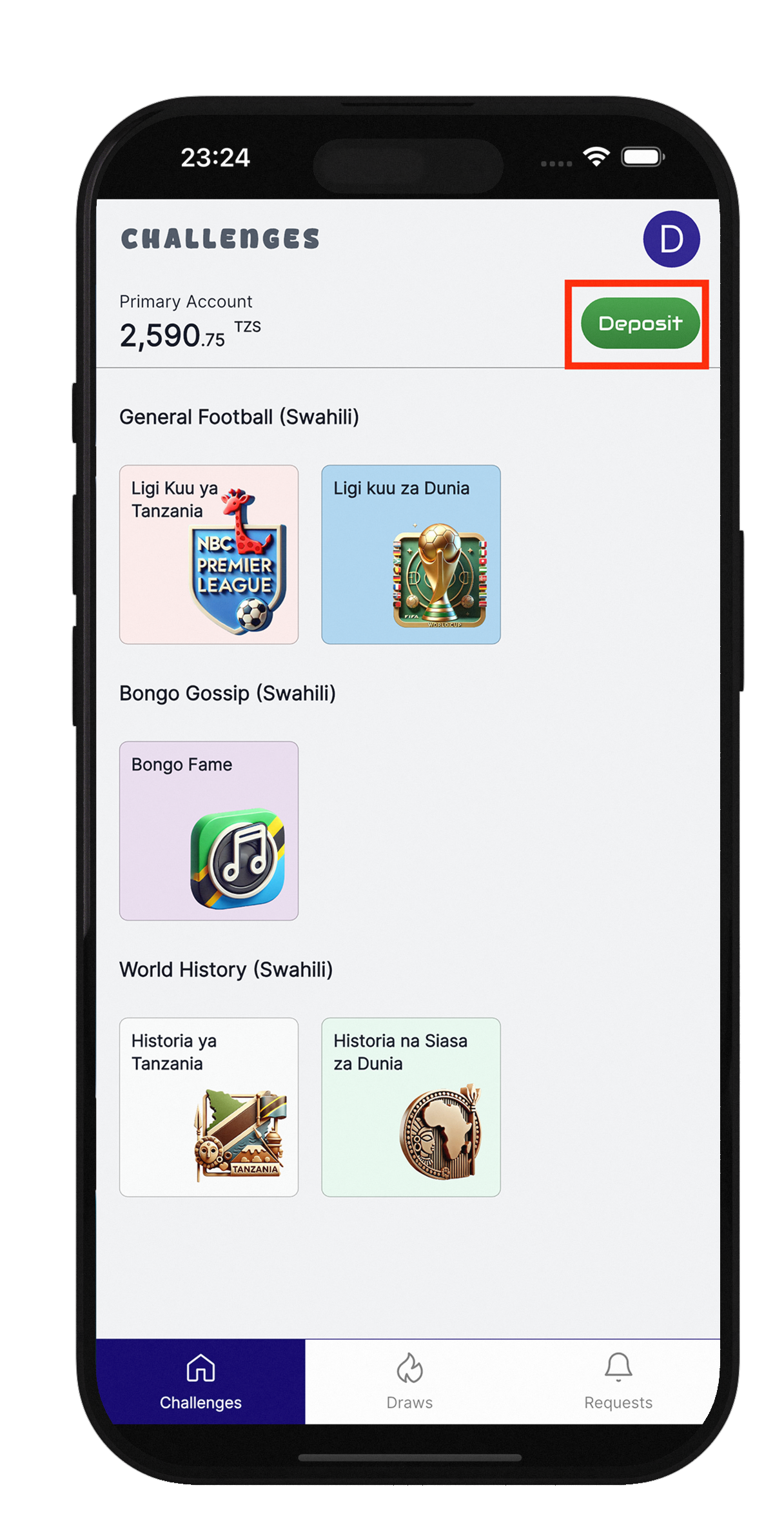
Navigate to the Play Modes Page
- On the Home page, click the `'`Deposit`'` button.
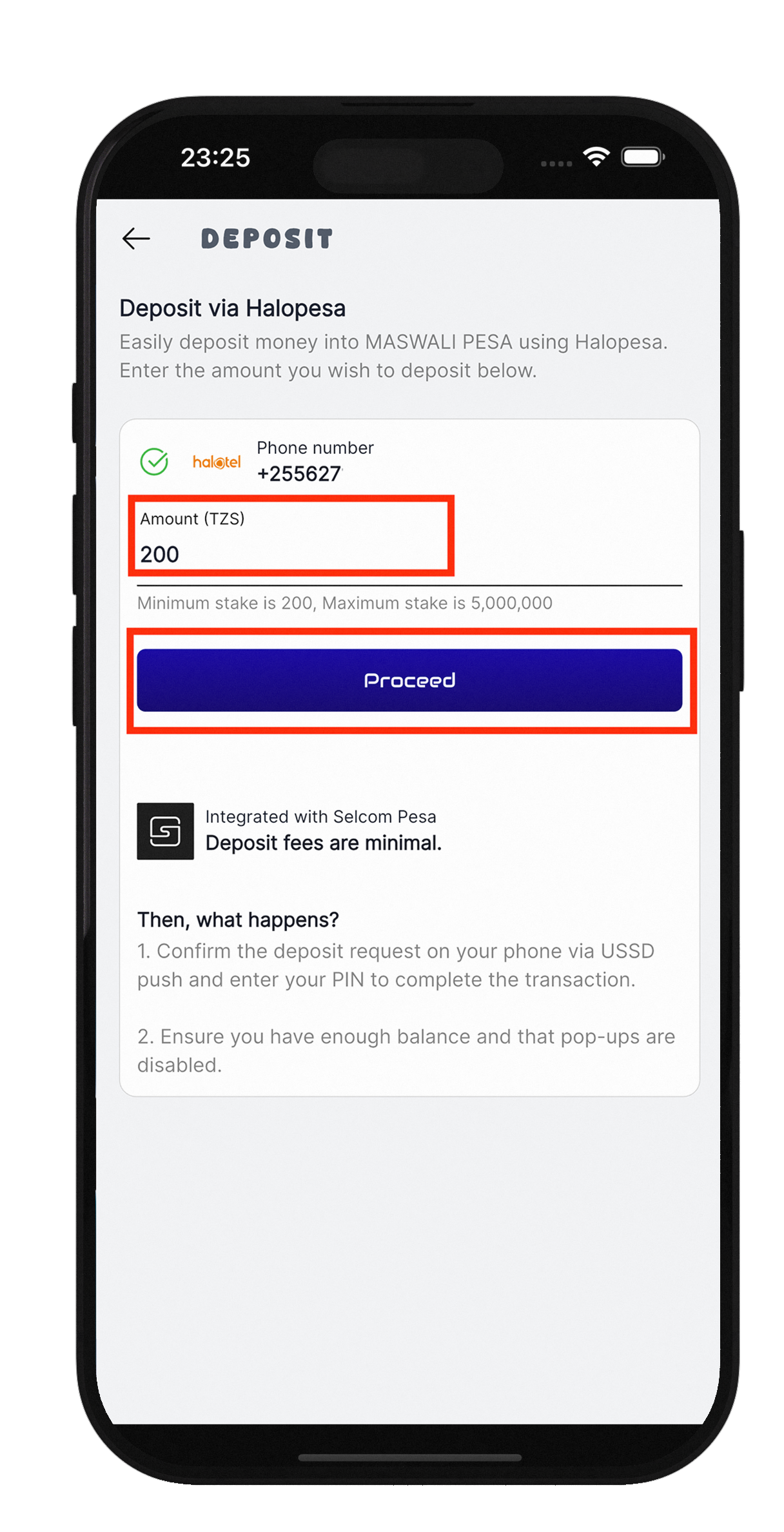
- You will be redirected to the Deposit page.
- Enter the amount you want to deposit.
- Click the `'`Proceed`'` button.
- Click the `'`Proceed `'` button.
- A USSD session will automatically start on your phone.
- Enter your PIN to confirm the deposit transaction.
- Wait for the transaction confirmation message.
HOW TO WITHDRAW
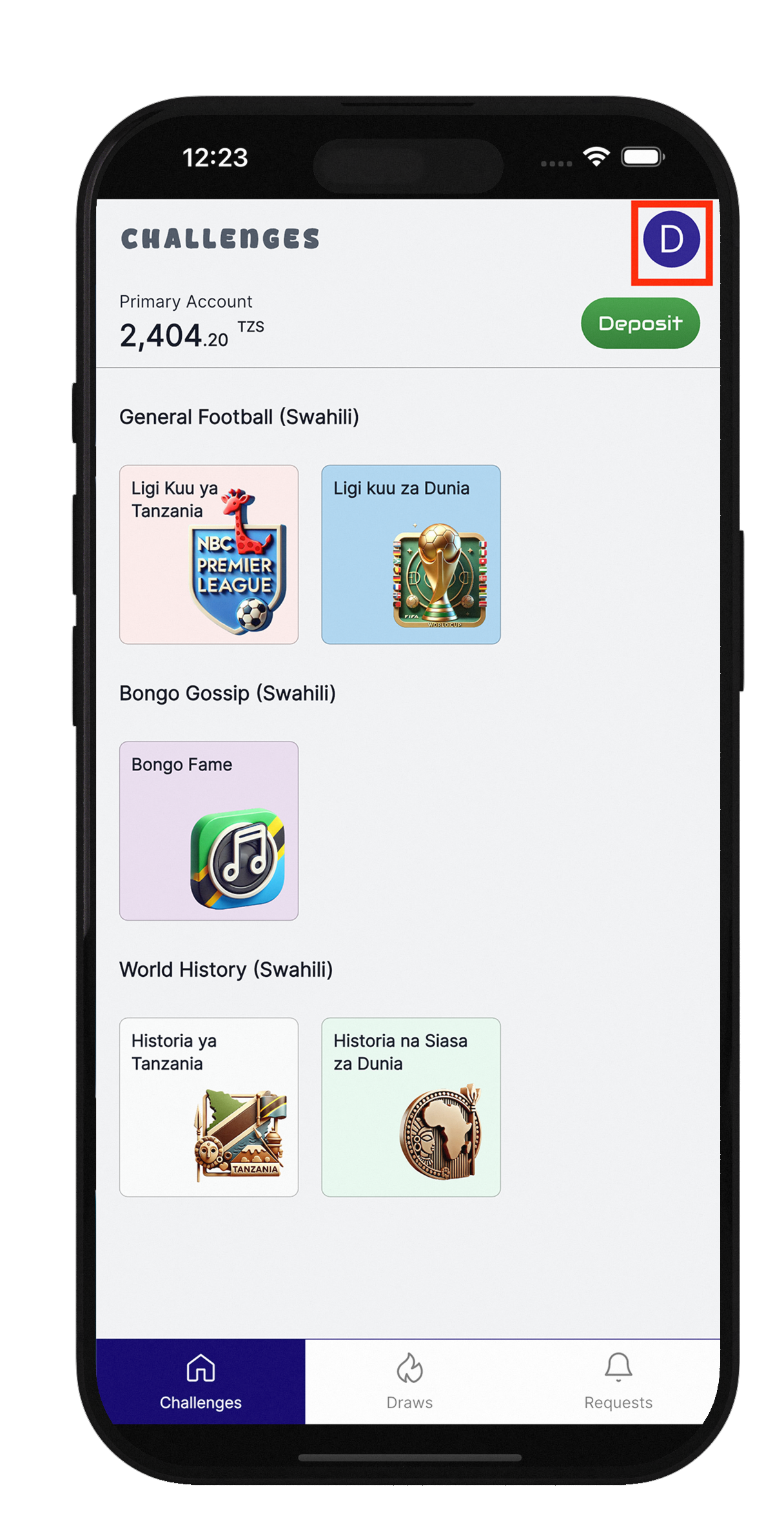
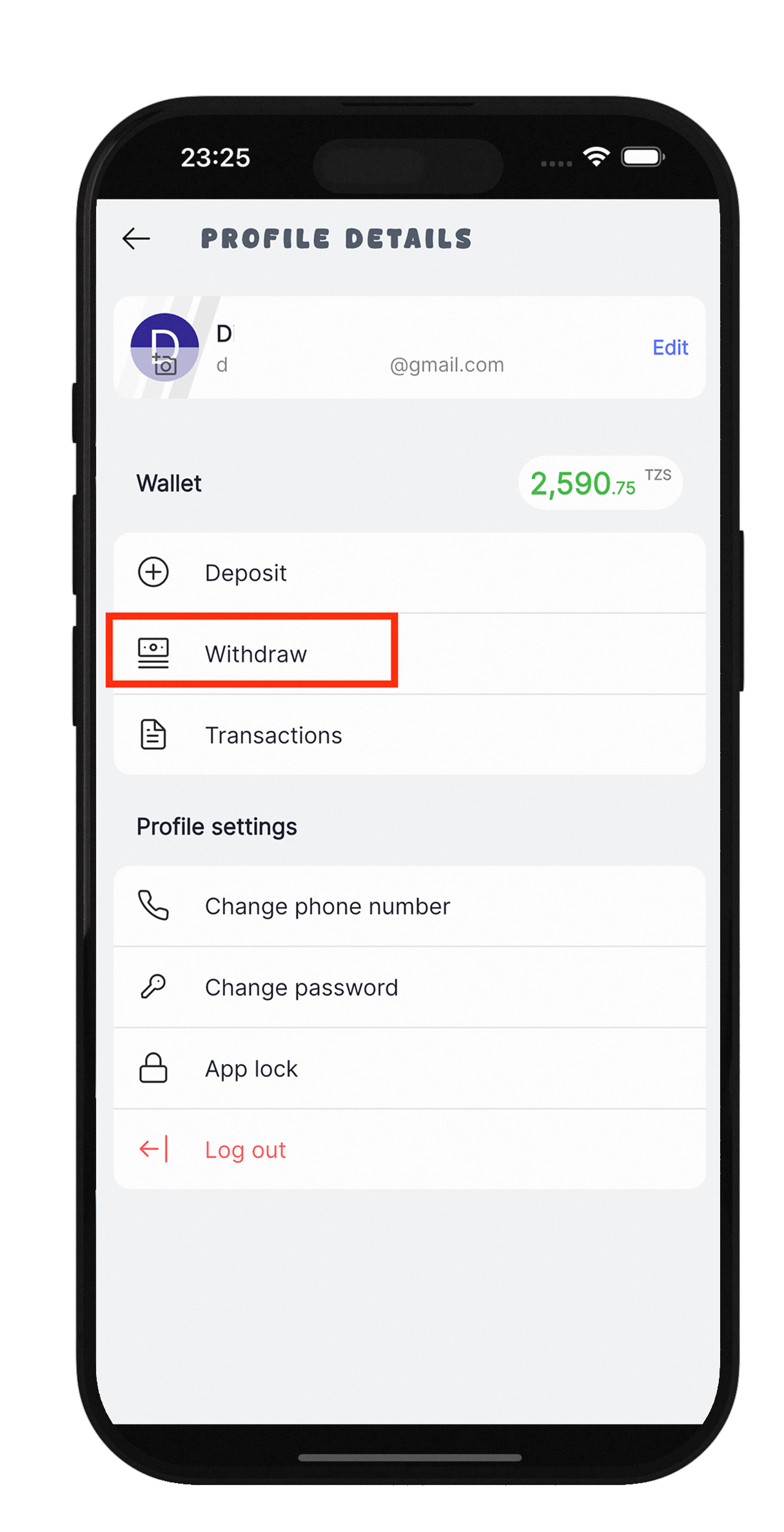
- From the Home page, click on your User Profile.
- You will be redirected to your Profile page.
- Click the `'`Next`'` button (marked with `>` icon).
- Select the `'`Withdraw`'` option to go to the Withdrawal page.
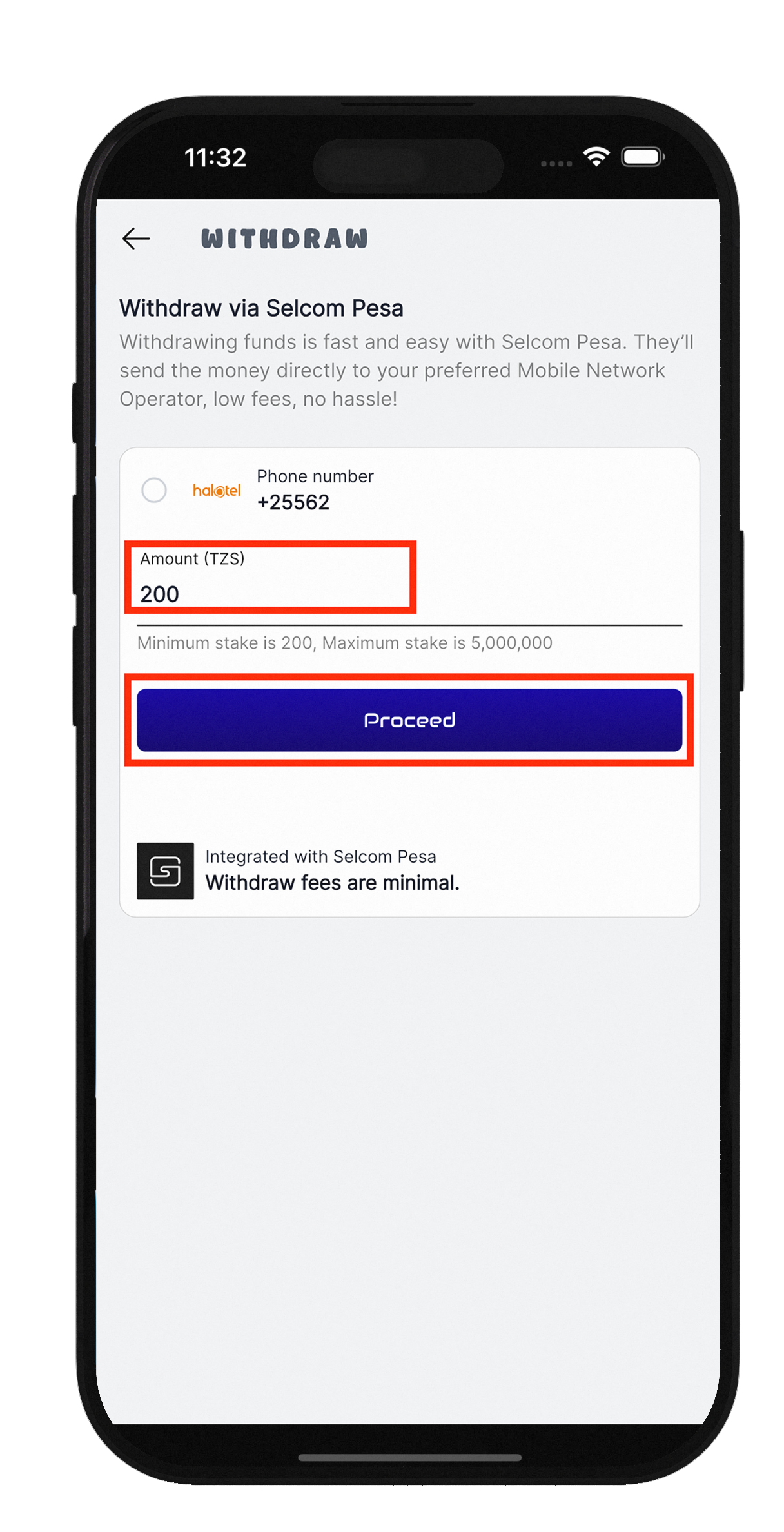
- Enter the amount you wish to withdraw.
- Click `'`Proceed`'` to complete the withdrawal.
- Wait for the transaction confirmation message.